AI product + platform design
AI Employee Marketplace
A local-first desktop platform where non-technical people hire an AI employee and steer it by clicking.
- My contribution
- Product definition, architecture and build direction
- Status
- Working local prototype
The problem
Coding agents are powerful and unusable for most small-business owners. A person with three other things to do does not want a terminal, a diff or a wall of model reasoning. They want to recognise a job, press one thing and approve what happens next.
My contribution
I defined the product and its architecture, wrote the build plan and served as owner of the system through its phases. A worker harness runs the job in a sandboxed workspace folder while a second agent turns each step into a click-first screen. I directed implementation across the protocol, sidecar, UI-enforcer and desktop packages, with agent-assisted authoring, and reviewed the gates as they came together. This is a working local prototype, not a finished commercial product.
What I built
01 / Hire from a marketplace
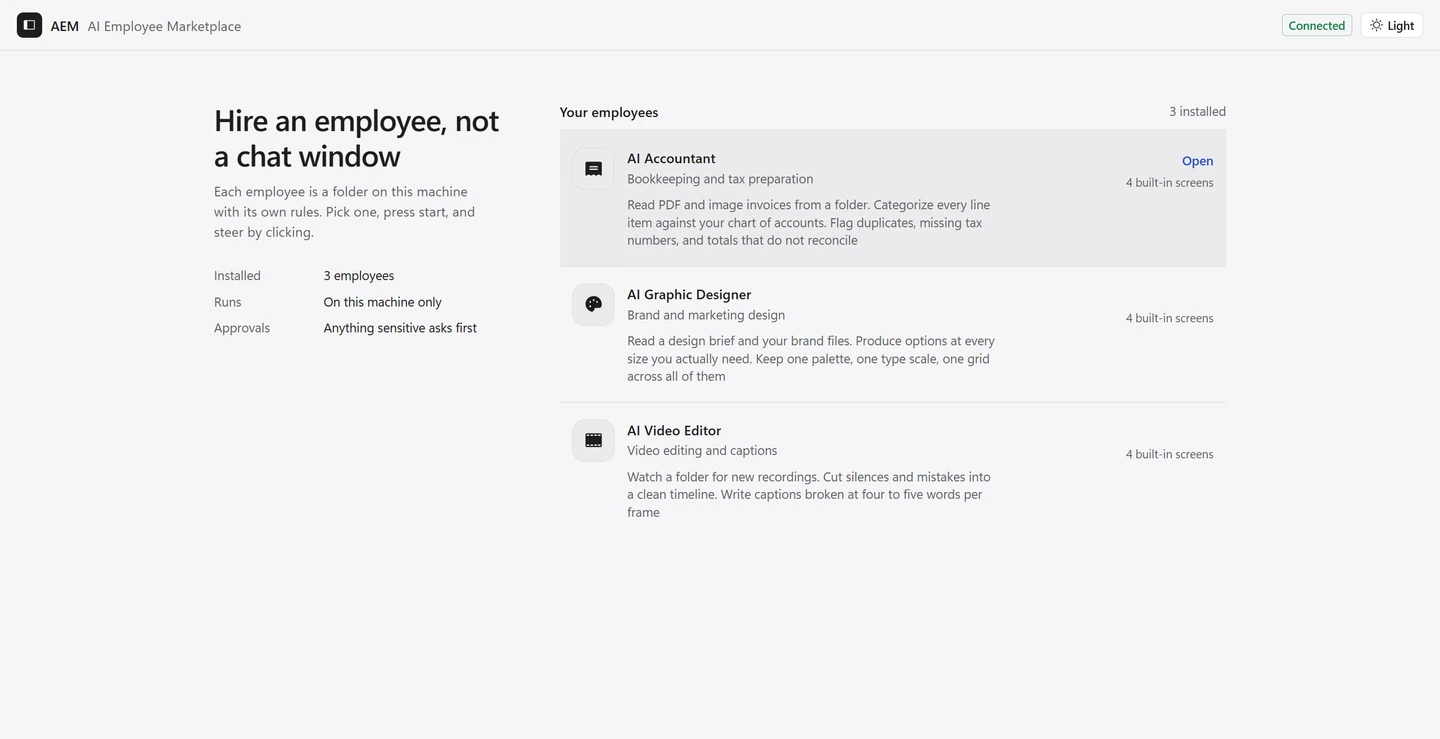
The startup screen lists installed employees with what each one does and how many screens it ships. Every employee is a folder on the machine, not an opaque hosted account.
02 / Run the job by clicking
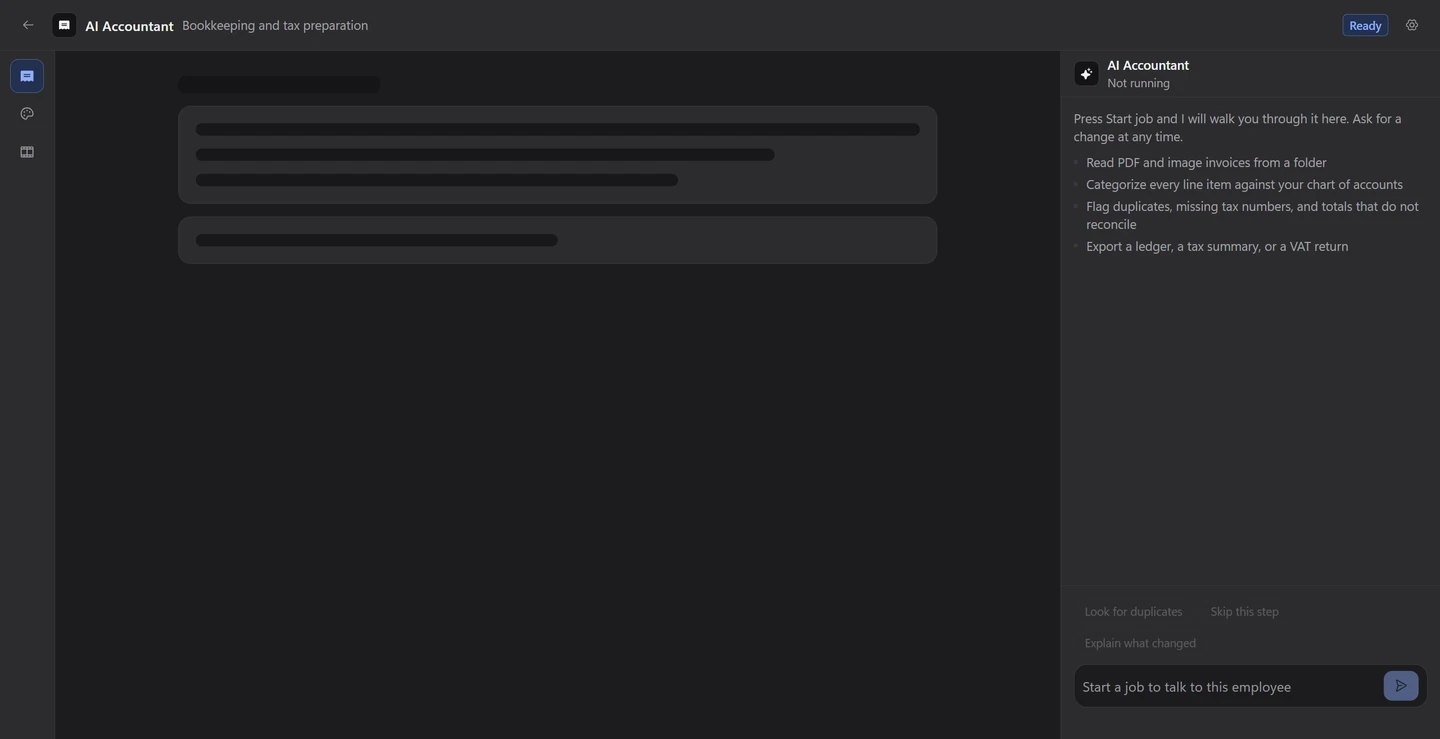
A pre-built screen answers the common path instantly, and a novel event is composed into a new screen, validated, then cached so the repeat job is fast. Raw harness output never reaches the canvas or the conversation panel.
03 / Approve anything sensitive
A request outside the employee's pre-approved scope stops and appears as a plain-English capability card, such as wanting to read a set of PDFs in a workspace. Nothing resumes until the person clicks.
Decisions + tradeoffs
Design for the non-technical operator
The primary user is a small-business owner comfortable with folders and spreadsheets, not terminals. That forced a click-first canvas, compact desktop controls, a light-first interface with a real dark mode, and a chat panel reserved for steering rather than raw agent output.
Make permission a first-class state
Deny is a real outcome, and an allow can be persisted as a scoped grant for one employee, workspace and class of operation. The capability card deliberately has no field for a raw command, so a shell line cannot reach the person through that path.
Enforce quality with gates rather than memory
The project verifies typechecking, tests and a contrast gate that reads real design tokens and fails below 4.5 to 1 in either theme. Screens are checked before they reach the interface, and the canvas discards anything that still fails to render.
Checks + limitations
This is a verified local prototype. Package typechecking and tests pass, and the interface was captured from the running app. The desktop shell was written but never built because the Rust toolchain is absent on this machine, and the two live agent drivers were not run without provider keys, so the simulated driver is the verified path. It is not presented as a shipped or open-source release.
What it delivered
A working AI-employee platform prototype with a real permission boundary, a fast cached screen path and an interface aimed at people who will never open a terminal. The next steps are a verified desktop build, one live harness session per provider and a clarification payload wired back through the sidecar.
- Two-agent design: a worker harness plus a UI agent
- Permission cards for anything outside approved scope
- Click-first workspace instead of a terminal
- Schema-validated screens and a loopback-only sidecar